Mole Blog
By Tw93. Practical guides for keeping a Mac clean, fast, and clutter-free.
Performance
Investigate slowdowns, heat, and background processes, and learn what system monitors can tell you.
-

Mac WiFi Stutters: What Mole’s WiFi Boost Can Do
Understand AWDL-related latency spikes, an inconclusive local comparison, and the purpose and limits of Mole’s WiFi Boost, currently in development. · 4 min read -
corespotlightd High CPU on Mac: Find the Trigger First
Distinguish app-content indexing from file search, compare one app at a time and collect a process sample before rebuilding Spotlight. · 3 min read -
Your System Has Run Out of Application Memory on Mac: What to Do First
Save open work before quitting apps, then use Activity Monitor to find a growing process or a workload that needs more memory. Check disk space separately. · 5 min read -

bird and cloudd High CPU on Mac: Check iCloud Sync First
Check one iCloud Drive file in Finder and on iCloud.com before treating bird or cloudd CPU use as a sync failure. Preserve local changes and a separate backup. · 4 min read -

WindowServer Spikes After Connecting an External Display on Mac?
Contrast built-in vs external, then change scale, refresh, HDR, and Spaces one variable at a time. Never kill WindowServer. · 4 min read -

Is Your Mac Temperature Normal? Compare Idle vs Load
Record idle, load, and recovery temperatures with the same tool. Compare them with process activity and cooling conditions to spot a problem. · 4 min read -

Mac Menu Bar Status: Temperature, Fans, and Disk Space
Read temperature, fans, memory pressure, disk space, and processes together to find what is changing and why. · 5 min read -
Mac Fans and Apple Silicon: When to Worry About Heat
Learn how workload, cooling and background processes affect heat on Apple silicon Macs, and when fan activity deserves a closer look. · 8 min read -
What Is macOS Swap Memory, and When Is It a Problem?
Learn how cache reclaim, compression, and swap work together, and why pressure and growth matter more than one Swap Used number. · 7 min read -
Why Is My MacBook Battery Draining So Fast?
Fast battery drain can come from a workload, sleep, accessories, a system task, or battery condition. Record the pattern before changing settings. · 5 min read -
Mac Optimization Apps: Three Different Jobs Behind One Word
Reclaiming capacity, removing resident load and repairing broken behaviour are unrelated problems needing unrelated tools. Which app honestly serves each, and what no optimizer can do to hardware. · 15 min read -
Which App Is Using My Network on Mac?
Activity Monitor totals can hide live traffic. Compare changes over time, use nettop, and inspect the process that is actually sending data now. · 6 min read -
Mac Memory Pressure Explained: Yellow, Red, and Swap
Read the Memory Pressure graph correctly: why high memory use can be fine, and how swap, compression, and page-ins show a real RAM shortage. · 6 min read -

Choosing Mac Tools Beyond Sensei
Map Sensei-style jobs to disk analysis, cleanup, monitoring, and hardware dashboards, then pick the smallest set that matches real weekly use. · 10 min read -

Mac Fan Control Apps Compared: Macs Fan Control, TG Pro
Compare Macs Fan Control, TG Pro, iStat Menus, and Mole on sensors, fan curves, privileged helpers, history, and Apple Silicon limits. · 9 min read -

iStat Menus Alternatives: Pick the Monitor That Fits
Compare Activity Monitor, Stats, iStat Menus, Sensei, and Mole by sampling cost, sensor coverage, history, and the question each one answers best. · 9 min read -

How to Check Mac Temperature on Apple Silicon
Check Mac temperature with Activity Monitor and pmset thermal state. Why powermetrics shows unrecognized sampler: smc on Apple silicon, and when a sensor app helps. · 9 min read -
Google Chrome Helper (Renderer) High CPU on Mac
Match Chrome Helper and Renderer processes to the tab or extension in Chrome Task Manager, then fix only that task without quitting every Helper. · 9 min read -
Why Your MacBook Fan Is Loud
Correlate workload, thermal pressure, airflow, and fan behavior, then distinguish normal cooling from a hardware symptom. · 6 min read -

Why Your Mac Is Slow and How to Diagnose It
Measure CPU, memory pressure, storage capacity, disk I/O, thermal state, and network latency while the slowdown occurs. · 7 min read -

mdworker High CPU on Mac: When Spotlight Is Stuck
mds and mdworker are Spotlight indexing. Know when high CPU is normal, what keeps indexing stuck, and when a narrow rebuild is justified. · 4 min read -
Which App Is Using Your Mac Microphone? Control Center
Use Control Center’s orange mic indicator, browser tab icons, and Privacy settings to find the app without trusting random third-party guesses. · 4 min read -

WindowServer High CPU on Mac: Displays, Capture, Scaling
Track WindowServer spikes from displays, screen capture, scaling, and refresh rate, then compare against a calm baseline before you change anything. · 8 min read -

How to Investigate Unfamiliar Mac Processes
Use process owner, path, parent, signature, resource trend, open files, and a process sample instead of judging by name alone. · 5 min read -
Why kernel_task Uses High CPU
Treat kernel_task as a possible thermal response, correlate it with workload and pressure, and isolate idle or accessory-related causes. · 3 min read -

Speed Up a Mac by Finding the Bottleneck
Capture evidence, change one variable, repeat the same workload, and keep only the fix that improves both the metric and the delay. · 5 min read
Storage
Understand where disk space went, then remove only what is safe to regenerate.
-

iCloud Drive Taking Up Space on Mac: Remove Downloads Safely
Free local Mac storage without deleting iCloud files. Compare Remove Download, Keep Downloaded and Optimize Mac Storage, and verify uploads first. · 4 min read -

Can You Delete DMG Files on Mac After Installing an App?
Eject the image and open the app from Applications before deleting a downloaded DMG. Check PKG installs separately, and keep disk images that contain your own files. · 4 min read -

Mac Trash Won't Empty? Find the Item That Stops Finder
Identify the item Finder refuses to delete, then check whether it is in use, locked, protected by permissions, or on an external disk before retrying. · 3 min read -

WeChat Storage on Mac: Cache, Chat History, and Safe Cleanup
WeChat disk use on a Mac is cache, chat history, downloads, and the app. Tell them apart, use in-app cleanup first, and keep chat history by default. · 8 min read -
Purge on Mac Explained: purge, Purgeable Space, and Purge Apps
Three unrelated things share the word purge on a Mac: APFS purgeable space, the purge memory command, and Purge apps and Mole's mo purge command. Tell them apart before deleting. · 7 min read -

Mac System Data: Why Storage Display and Folder Sizes Don’t Match
System Data is not one folder. Learn what Storage, Finder, du, and APFS measure before deciding which files to remove. · 4 min read -

Deleted Large Files on Mac but Free Space Didn’t Increase?
Check Trash, snapshots, purgeable space, and delays in Storage settings before deleting more files. · 4 min read -

Discord, Slack, and Teams on Mac: Cache vs History vs Downloads
Chat apps grow with cache, history, and downloads. The same decision frees space on each without losing history: clear cache only after you confirm what it is. · 7 min read -

Which Mac Caches Are Safe to Delete?
A decision guide for browser, chat, and AI caches: what rebuilds, what is user data, and how to clear space without losing history or models. · 6 min read -

What Is ~/Library/Group Containers on a Mac, and What Can You Delete?
What App Group folders are, how to read names like UBF8T346G9.Office or group.com.apple.notes, how to check which installed app still uses a group, and how to remove only the groups an uninstalled app left behind. · 9 min read -

How to Find Mac System Data with a Treemap
Use a treemap to identify the real folders behind System Data, verify who owns them, and remove only content you can restore. · 6 min read -

Other Users & Shared on Mac Storage: What It Means
Other Users & Shared is a Storage category, not a folder to empty. Identify old accounts and /Users/Shared data before deleting anything. · 6 min read -

How to Clean Up Final Cut Pro and Logic Pro Storage
Remove generated media and unused audio through Final Cut Pro and Logic Pro while preserving originals, backups, and project recovery points. · 9 min read -

Purgeable Space on Mac: Can You Delete It?
Purgeable space is storage macOS can reclaim when needed. See what it includes, why Finder and df disagree, and when you should leave it alone. · 6 min read -

Startup Disk Full on Mac: Find Where the Space Went
Measure real free space, check Trash and the largest user files, then only thin managed snapshots if the original save still exists. · 7 min read -
Free Up Chrome and Safari Storage on Mac Safely
Measure Chrome and Safari profile trees, clear disposable caches without wiping logins, and treat site databases as user data, not junk. · 9 min read -

List Local Time Machine Snapshots Before Deleting
List local Time Machine snapshots safely, see why macOS keeps them, and thin them only when free space is actually stuck. · 10 min read -
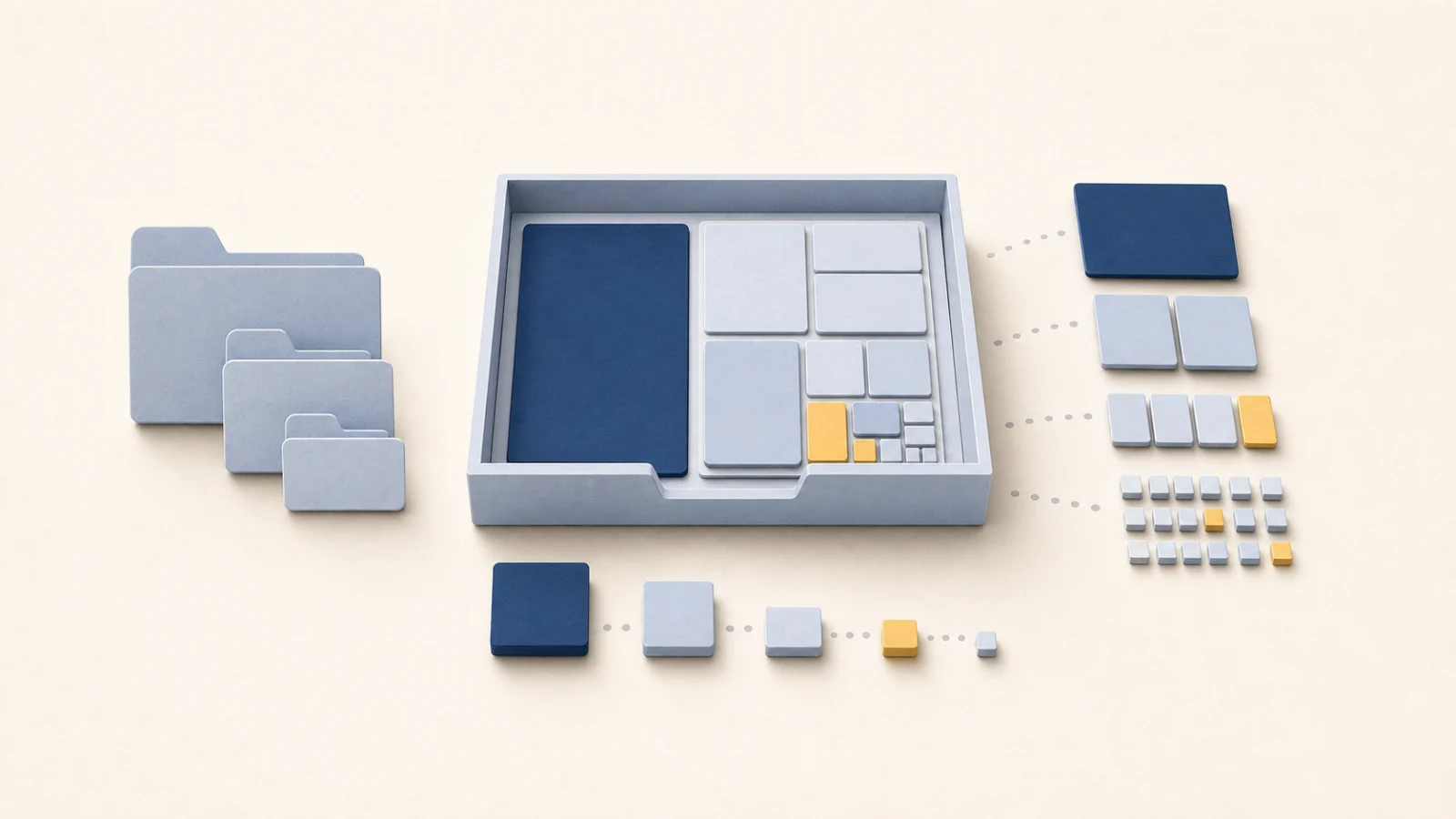
Choosing a Mac Disk Analyzer Beyond DaisyDisk
Compare treemap and terminal disk analyzers, and learn why two correct scanners report different totals for the same volume. · 9 min read -

Free Up Photos Library Storage on Mac Safely
Choose iCloud optimization, careful curation, or moving the Photos library, without treating sync as a backup you can wipe. · 4 min read -
What Is ~/Library/Caches on Mac? What Is Safe to Delete?
Distinguish cache from state and user data, measure the owner, use its cleanup interface, and verify the app before emptying Trash. · 10 min read -

How to Find and Delete Old iPhone Backups on Mac
Find old iPhone and iPad backups in Finder, check each device and date, then delete only complete backups that have a verified recovery path. · 3 min read -

How to Clean Up Disk Space on Mac Without Losing Files
A recovery-first workflow for measuring Mac storage, ranking safe cleanup targets, verifying the result, and stopping before valuable or system-managed data is at risk. · 7 min read -

Reduce Apple Mail Storage on Mac Without Losing Mail
Separate download policy from permanent attachment removal, and know when an IMAP change also deletes mail on the server. · 4 min read -
Find Large Files on Mac Without Deleting the Wrong Ones
Account for APFS snapshots, clones, and purgeable space, then classify large files by ownership before you move or delete them. · 7 min read -

What Is System Data on Mac Storage, and How to Reduce It
System Data is a Storage classification for caches, logs, snapshots, and app files, not a folder to empty. Measure real owners before deleting anything. · 10 min read -

Clear Messages Storage on Mac Without Losing Chats
Check Messages in iCloud, save unique attachments, and treat retention as synced deletion, not a local cache you can wipe safely. · 4 min read
Uninstall
Remove an app and everything it left behind, without deleting data another app still owns.
-

Adobe Apps Gone, but Creative Cloud Is Still Running on Your Mac
Removing Lightroom or Photoshop leaves Creative Cloud's eight apps, login items and background services behind. What each one is, which ones other Adobe apps still need, and how to remove the rest. · 7 min read -
How to Uninstall ToDesk on Mac and What It Leaves Behind
ToDesk installs launch services, a privileged helper, an audio driver and a device registration file outside the app. What each one is, which to keep, and the order to remove them. · 6 min read -
How to Uninstall Sogou, Baidu and WeChat Input Methods on Mac
Third-party input methods live in /Library/Input Methods and keep helpers running through launch agents. Remove the input source first, back up your dictionary folder, then delete the rest. · 7 min read -

Creative Cloud Won’t Uninstall on Mac? What to Check
Match the error to the next step, back up project files, and try Repair or Uninstall before using Cleaner for a failed installation. · 5 min read -

App Still Running After Uninstall on Mac? Find Login Items and Launch Tasks
After Trash uninstall, helpers can still relaunch. Map the process to login items and launchd before you delete leftovers. · 5 min read -

Mac Uninstall Leftovers: Review Before You Delete
Leftover scanners disagree because ownership rules differ. Use path review, separate sizes, and opt-in personal data before anything sensitive is removed. · 7 min read -

Uninstall Mac Apps Installed from a .pkg Package
A .pkg installer leaves a receipt and files outside the app. Read the receipt with pkgutil, remove only what belongs to that product, and forget the receipt last. · 10 min read -

How to Uninstall Steam on Mac Without Losing Games
Uninstalling Steam is separate from deleting its libraries and local saves. Check every library location and what Steam Cloud actually covers before you remove data. · 5 min read -
How to Uninstall Parallels Desktop on Mac Without Deleting VMs
Removing Parallels Desktop does not delete its virtual machines. Keep or archive a VM separately, and use Move to Trash only when its data is no longer needed. · 4 min read -

Uninstall OneDrive on Mac Without Deleting Cloud Files
Uninstalling OneDrive stops local sync but leaves cloud files intact. Know how Free up space and Delete differ before you remove the app. · 4 min read -

How to Uninstall Google Drive on Mac Without Deleting Cloud Files
Uninstalling Google Drive does not delete cloud files, but disconnecting a streaming account removes offline files. Check sync, Lost and Found, and file mode before removing the app. · 5 min read -
When a Mac App Will Not Uninstall: Seven Causes to Check
Use the exact error and app state to investigate running helpers, permissions, launchd, SIP, App Management and MDM before choosing an uninstall method. · 14 min read -

How to Uninstall Antivirus on Mac Without Breaking Your Network
Antivirus apps may install filters, extensions and background services. Follow the vendor's removal steps, then check for remaining components and network problems. · 15 min read -
Uninstall Java on Mac: JDKs, JRE Leftovers, PATH
Remove JDK and JRE installs, clear leftover Java folders, and fix PATH or JAVA_HOME without breaking apps that still need a runtime. · 4 min read -

Uninstall Dropbox Without Losing Local Files
Uninstalling Dropbox and deleting its folder are separate choices. Verify sync, download needed online-only files, and check a backup before removing local data. · 4 min read -
Uninstall VS Code on Mac Without Losing Settings
Remove Visual Studio Code, choose whether settings and extensions stay, and keep the pieces a clean reinstall cannot recreate. · 4 min read -
Uninstall Creative Cloud Without Losing Your Files
Copy out the four items Adobe names, follow the order its uninstaller requires, and treat the Cleaner tool as a repair path rather than a deep clean. · 5 min read -

Uninstall Homebrew on Mac with the Official Script
Run Homebrew’s official uninstall script with --dry-run first, export formula and cask lists, then clean leftover shell PATH entries. · 10 min read -
Remove Office for Mac Without Losing Outlook Mail
Separate the per-app containers from the three shared folders holding the Outlook profile, and copy those out before following Microsoft's steps. · 4 min read -
Find Library Leftovers After Uninstalling Mac Apps
Match Library leftovers to an app’s bundle identity, protect shared vendor folders, and review residue after Trash or a long-gone install. · 11 min read -
Uninstall Docker Desktop on Mac Without Losing Volumes
Back up named volumes before the uninstaller removes them, then separate Docker config from leftover VM disk state you may still need. · 5 min read -

Remove Chrome Without Losing Saved Passwords
Chrome profiles contain more than caches. Check which passwords, bookmarks and other data actually synced, then export or back up what you need before deleting. · 4 min read -
AppCleaner Alternatives for Mac: Safer Leftover Removal
Compare AppCleaner, Hazel, vendor uninstallers, and Mole by how they find leftovers, protect shared data, and recover from a bad match. · 11 min read -
How to Completely Uninstall Apps on Mac Without Losing Data
Remove Mac apps, helpers, login items, extensions, and proven leftovers safely while preserving documents, shared containers, and subscriptions. · 9 min read
Apps & Maintenance
Update apps, control startup items, and judge which routine cleanups are worth running.
-

Mac Slow After a macOS Update? Find Out What Is Still Running
Separate post-update indexing and photo sync from an app, login item, or storage problem, then check the same workload again. · 3 min read -

Keep Your Mac Awake While Using Less Battery
Choose between keeping the display on and preventing system sleep, set a time limit, and pause when the battery is low. · 5 min read -

Why Updating Mac Apps Is Harder Than It Looks
Check the update source, compatibility, and recovery options before updating Mac apps from the App Store, developer websites, or Homebrew. · 6 min read -
Do You Need a Mac Memory Cleaner?
Third-party RAM cleaners promise to speed up your Mac by freeing memory. Here is how macOS memory management works, and why clearing it can make your Mac slower. · 6 min read -

Is CleanMyMac Safe for Mac? What to Check First
Notarization is not a cleanup guarantee. Check Full Disk Access, deletion scope, recovery, and what CleanMyMac can remove before you run it. · 6 min read -

Best Mac Cleaner Apps, Ranked by What Being Wrong Costs
Compare Mole, CleanMyMac, AppCleaner, DaisyDisk and OnyX by deletion scope, recovery and size accounting, rather than trusting the largest cleanup total. · 15 min read -

Lock Mac Keyboard for Cleaning (No Built-in Mode)
macOS has no cleaning mode, and locking the screen still types into the password field. See what actually blocks keyboard input while you wipe. · 6 min read -

Check AirPods and Accessory Battery Levels on Mac
Use Control Center > Sound for AirPods and Bluetooth for Magic accessories, then learn what pmset can and cannot report when a device publishes no battery level. · 5 min read -

Run Mac Maintenance Without Ritual Cleans
Separate what macOS already maintains from targeted fixes, avoid broad Launch Services resets and blind reindexing, and require helpers to explain skipped tasks. · 9 min read -
What Mac Cleaners Should Never Delete
Separate regenerable caches from chats, libraries, cloud mirrors, and credentials, and use refusal lists to judge any cleaner. · 9 min read -
What Free Mac Cleanup Tools Actually Cover
Map what OnyX, AppCleaner, Stats, ncdu, and GrandPerspective each do well, where free stops, and how to recognise a scareware cleaner. · 9 min read -
How to Update Every Mac App Safely
Audit App Store, direct-download, Homebrew, Electron, and macOS updates without losing source ownership or a known-good setup. · 5 min read -

A Mac Maintenance Checklist That Prevents Problems
Prioritize backups, restore tests, security updates, encryption, privacy, and storage headroom instead of scheduled cache purges. · 5 min read -

CleanMyMac Alternatives: Free, Paid, and Job-Based Picks
Choose a CleanMyMac alternative by job (uninstall leftovers, disk maps, monitoring, or maintenance) and see where Mole fits without a subscription. · 12 min read -
Disable Startup Programs and Login Items on Mac
Turn off Login Items and Background Items safely, then trace launchd jobs to their owner before you disable anything system-owned. · 4 min read -

Do You Need a Mac Cleaner
Decide whether you need disk analysis, app removal, cache cleanup, or another tool, and when macOS already does enough. · 5 min read -

How to Check MacBook Battery Health, Cycle Count, and Condition
Check Maximum Capacity, Cycle Count, Condition, and real runtime, then decide whether charging settings, diagnostics, or battery service make sense. · 8 min read
Developer
Reclaim space from Xcode, Docker, package managers, and local AI tools.
-
Why Mole Clears Less npm Cache Than npm cache verify
Tests on cache copies led to narrower npm cleanup, Go’s own age limit and review of build output inside global tools and old Xcode projects. · 5 min read -

JetBrains Caches on Mac (IntelliJ, WebStorm, PyCharm)
Caches and indexes rebuild on the next launch; config, plugins, and project data do not. Use Invalidate Caches first, then measure before removing any JetBrains folder. · 6 min read -
Delete Old iOS Simulator Runtimes on Mac
Separate simulator devices from runtime images, then remove them in Xcode or with simctl without touching archives you still need. · 8 min read -

Clean Up AI Coding Tools on Mac: Caches, CLIs, Transcripts
Measure build output, old CLI installs, and chat transcripts separately, then review what is still in active use before deleting. · 17 min read -
AI Mac Cleaners: What a Model Should and Should Not Decide
Ranking and attribution can be probabilistic, the delete decision cannot. How cc-cleaner, DevCleaner, agent skills and Mole each draw that line, and which one fits your disk. · 19 min read -

How to Delete Ollama and LM Studio Models on Mac
Remove Ollama models with ollama rm and LM Studio models from My Models. Protect chats, private checkpoints, and shared blobs when reclaiming disk space. · 5 min read -

Clean Up Xcode Without Losing Release Artifacts
Separate DerivedData, simulator devices, runtimes, DeviceSupport, and release archives before removing Xcode storage. · 4 min read -
Clean Up Docker on Mac: Images, Build Cache, Volumes
Inspect images, containers, build cache, and stateful volumes before pruning, and measure sparse disk use separately from what Docker reports. · 4 min read -

brew cleanup on Mac: Clear Cache, Old Versions, Autoremove
Preview brew cleanup -n, clear old downloads, and run brew autoremove safely without deleting Cellar, Caskroom, or cache paths by hand. · 3 min read -
Clear Developer Caches Without Breaking Builds
Preserve source, lockfiles, registry access, and unique local artifacts before pruning package stores and dependency trees. · 4 min read
About Mole
How Mole for Mac, the open-source Mole CLI, and a quiet product philosophy fit together.
-

After Resending 400 Mole License Emails
What users told me after I resent over 400 license emails, and how those replies led to a simpler purchase and activation flow for Mole. · 6 min read -

Fewer Settings, Clearer Choices
Reworking Mole’s settings to remove repeated actions, explain cleanup choices and make consecutive uninstalls quieter. · 4 min read -
Revisiting Mole’s Clean and Analyze Pages
The decisions behind System Data, read-only backups, Largest Files and quieter name expansion during Mole 1.16 development. · 4 min read -

A Careful Refresh of Mole's Icons
Moving Mole from system icons to a set adapted from Phosphor: choosing an icon library, judging icons inside the product, small ideas that give it life, and the alignment and sizing details. · 5 min read -

Building AI Tool Cleanup and Care into Mole
Why I used to keep AI conversations, what changed when old sessions and worktrees piled up on my own Mac, and what testing these tools reminded me to protect in Mole. · 14 min read -

Making Mole's Menu Bar Numbers Fit In
Why Mole's CPU and memory readings looked out of place in the menu bar, and the type, spacing and alignment details that fixed it. · 9 min read -

Testing Hundreds of Mac Apps for Mole
Installing Mac apps one by one, uninstalling them, and checking both the leftovers and the files that should stay. · 4 min read -

Is Mole Safe for Mac? What It Deletes and Won’t Touch
What Mole deletes, what it refuses to touch, where files go after delete, and how the Mac app and CLI answers differ. · 11 min read -

What Mac Users Taught Me About Building Trustworthy Software
A temperature default, an inaccessible dark interface, a duplicate purchase, and blunt pricing feedback changed how I think about trust, localization, accessibility, and support. · 7 min read -
Mole CLI vs Mac App: Free Terminal or Paid GUI
Pick the free CLI or the paid native app by workflow, shared protection files on disk, and which features stay CLI-only. · 8 min read -
Designing Mole to Stay Out of the Way
How stable layouts, explicit operation states, review-first deletion, path validation, accessibility, and visual restraint create a quiet tool. · 5 min read -

Notes on Building a Quiet Product
When direct support is research, when automation earns its place, and how restraint keeps a small product understandable and trusted. · 5 min read -

How Mole Grew from Shell Script to Mac App
How a private cleanup script became an open-source CLI, a stricter safety model, and a native app designed for visible, interruptible work. · 5 min read